Table of Content
Title
ER Machining, provides emergency machining services on any request.
Fast turnaround! · Call or email us!
Contact Us!
How Does CNC Machining Work? A Step-by-Step Beginner's Guide
CNC Machining
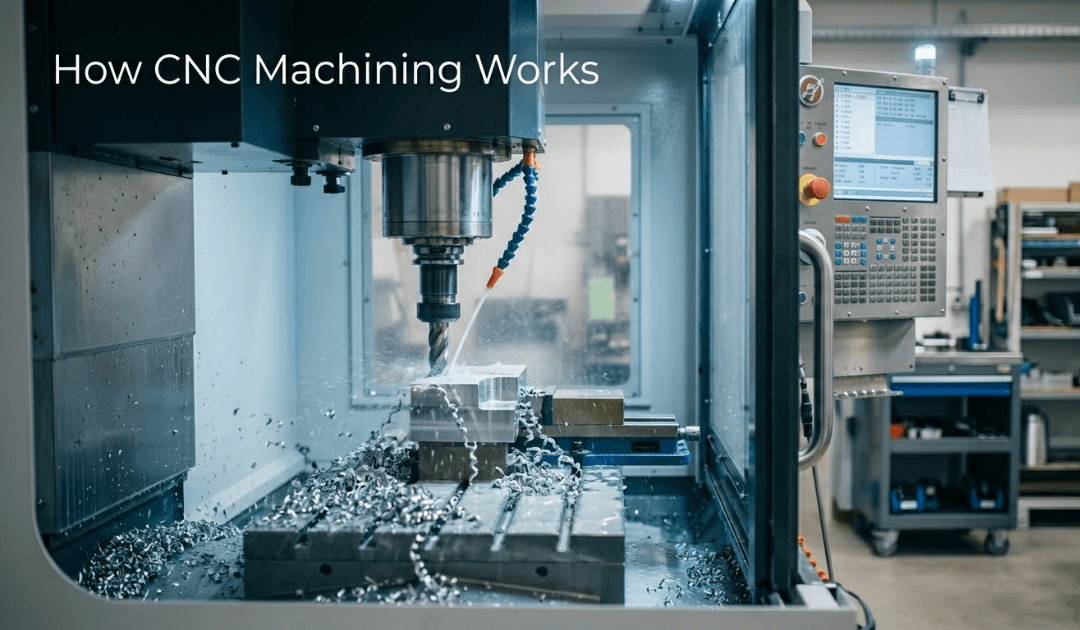
Quick Answer: CNC machining is a subtractive manufacturing process where a computer-controlled machine removes material from a solid block to create a finished part. It works by converting a digital 3D design into machine instructions (called G-code), which precisely guide cutting tools to shape the material. The process is repeatable, accurate to fractions of a millimeter, and used across industries from aerospace to medical devices.
Most people see a finished machined part - a clean aluminum bracket, a stainless steel valve body, a titanium implant - and have no idea how it got there. It looks like the part was simply made in that shape. What actually happened is a sequence of steps that starts on a computer screen and ends with a cutting tool removing exactly the right amount of material, in exactly the right places, to within thousandths of an inch.
That process is CNC machining. And once you understand how it works, a lot of things about manufacturing start to click.
What "CNC" Actually Means
CNC stands for Computer Numerical Control. The "numerical" part is the key - instead of a machinist manually turning handles and dials to move a cutting tool, a computer sends precise numerical coordinates to servo motors that move the machine's axes automatically.
This isn't a new idea. The first NC (numerical control) machines appeared in the late 1940s, developed by MIT under U.S. Air Force funding to solve the problem of producing complex aircraft parts consistently. CNC - where a dedicated computer replaced punched tape - became widespread in the 1970s and has been the backbone of precision manufacturing ever since.
What makes CNC powerful isn't just speed. It's repeatability. A CNC machine will execute the same program the same way 10,000 times. A human machinist, no matter how skilled, can't say the same.
Step 1: The Design - Everything Starts in CAD
Before any metal gets cut, someone has to design the part. That happens in CAD software - Computer-Aided Design. SolidWorks is one of the most widely used CAD platforms in precision manufacturing, and for good reason: it lets engineers build fully parametric 3D models where every dimension, feature, and tolerance relationship is defined and editable. Change one dimension in a SolidWorks model and related features update automatically - a small thing that saves enormous amounts of rework time downstream.
The CAD file is essentially the part's DNA. Every hole position, wall thickness, fillet radius, and surface angle lives in that file. Get it wrong here, and you'll get it wrong in metal.
Here's something worth knowing if you're new to this: the CAD model itself doesn't tell the machine anything. It's just geometry. To actually machine the part, you need the next step.
Step 2: CAM Programming - Turning Geometry Into Tool Paths
This is where most people's understanding of CNC machining gets fuzzy - and it's honestly the most interesting part of the process.
CAM software (Computer-Aided Manufacturing) takes the CAD model and generates the actual cutting instructions. What's worth knowing is that SolidWorks has its own built-in CAM module - SolidWorks CAM - which means engineers can move directly from design to toolpath generation inside the same environment, without exporting files to a separate program. For shops and clients who already work in SolidWorks, that's a real workflow advantage. Standalone CAM platforms like Mastercam and Hypermill are also common, particularly for more complex multi-axis work.
Either way, the CAM programmer decides things like:
Which cutting tools to use and in what sequence
How deep each cut should be
How fast the spindle should spin (measured in RPM)
How fast the tool moves through the material (feed rate)
The exact path the tool takes to remove material efficiently without breaking
That last item - the toolpath - is where the real craft lives. A poorly programmed toolpath wastes time, breaks tools, and leaves a rough surface finish. A well-programmed one is almost elegant to watch.
Once the CAM program is done, it gets processed through a post-processor, which translates the generic toolpaths into the specific G-code dialect that the target machine understands. G-code is the actual language of CNC - a list of coordinates, speeds, and commands the machine controller reads line by line.
Step 3: Setup - Fixturing the Workpiece
The program is ready. Now someone has to set up the machine. This means securing the raw stock material - a block of aluminum, a steel bar, a titanium billet - in a fixture or vise on the machine table.
Setup sounds straightforward, but it’s not. A part that shifts even slightly during machining produces scrap. Fixturing has to be rigid enough to hold against cutting forces, positioned accurately enough that the machine's coordinates match the program's intent, and designed so the cutting tools can reach every feature without crashing into the clamps.
For complex precision machined parts, setups can take longer than the actual cutting time. Experienced machinists will tell you that the setup is where jobs are won or lost.
Step 4: The Machining - What's Actually Happening at the Cutting Edge
Once the program runs, here's what's physically happening:
The machine's spindle spins the cutting tool (in milling) or the workpiece (in turning) at high RPM. The cutting edges of the tool - carbide inserts or solid carbide end mills, typically - engage the material and shear chips away. The machine's servo motors move the axes according to the G-code coordinates, positioning the tool precisely in three-dimensional space.
This is subtractive manufacturing: You start with more material than you need and remove everything that isn't the part.
The two most common CNC processes each work slightly differently:
CNC milling uses a rotating cutting tool that moves across a stationary workpiece. It's used for flat surfaces, pockets, slots, contoured shapes, and complex 3D geometry. Modern machining centers can move on 4 or 5 axes simultaneously, which lets a single setup produce features that older machines would have required multiple setups to achieve.
CNC turning works the opposite way - the workpiece rotates while a stationary tool cuts it. Turning is the process behind shafts, cylinders, threaded fasteners, and any part that's fundamentally round. It's fast, efficient, and capable of excellent surface finishes on the outer diameter.
Most real-world parts require both processes at some point. A shaft might be turned to diameter and then milled to add a keyway. A housing might be milled for its external shape and then turned to finish a bore.
Step 5: Inspection - Verifying What Was Made
CNC machines are precise. They're not infallible. Tools wear, materials have inconsistencies, and thermal expansion affects dimensions - a machine running for hours in a hot shop will behave slightly differently at the end of a shift than it did at the start.
That's why inspection is critical. Parts are measured against the engineering drawing using instruments ranging from hand micrometers and calipers to Coordinate Measuring Machines (CMMs), which can verify complex geometries in three dimensions automatically.
For industries like aerospace and oil and gas, this inspection step isn't optional - it's documented, traceable, and often a contractual requirement. A part isn't done until it's proven to be within specification.

What Materials Can CNC Machining Handle?
The short answer: most things. Metals - aluminum, steel, stainless, titanium, brass, copper - are the bread and butter. But CNC machining also handles engineering plastics, composites, and specialty materials.
Some materials are genuinely difficult. Carbide is extremely hard and requires diamond-coated tooling and very specific cutting parameters. Ceramics are brittle - they'll fracture if the toolpath doesn't account for the material's behavior. Graphite machines cleanly but produces abrasive dust that destroys conventional tooling and requires sealed machining environments.
The material choice affects every other decision in the process - tooling, speeds, feeds, fixturing, and the tolerances you can realistically hold.
CNC Machining vs. Other Manufacturing Processes
CNC machining is subtractive - you remove material. That's different from additive manufacturing (3D printing), where material is built layer by layer, or casting and forging, where you form the shape from molten or deformed metal.
Each has its place. 3D printing is excellent for complex internal geometry and low-volume prototypes. Casting is economical at very high volumes for simpler shapes. CNC machining wins when you need tight tolerances, excellent surface finishes, strong material properties, and the flexibility to make one part or ten thousand with equal precision.
For most structural, functional components - especially in demanding industries - CNC machining remains the process you build around.
The Big Picture
CNC machining is, at its core, a conversation between a designer's intent and a machine's precision. The design is captured in CAD, translated to instructions in CAM, refined into G-code, loaded into a machine, and executed - cut by cut - until the part emerges from raw stock exactly as specified.
What makes it worth understanding isn't just the technology. It's the fact that every decision made upstream - in design, tolerancing, material selection, and programming - shows up in the finished part. The machine doesn’t interpret or compensate. It does exactly what it's told.
If you're working on a part and want to understand how your design will translate to the shop floor, get in touch with ER Machining. Walking through the process together before cutting starts is usually the most valuable conversation you'll have.
Frequently Asked Questions
Q: How does CNC machining work, in simple terms?
A: A 3D design is created in CAD software, then converted into machine instructions (G-code) using CAM software. A CNC machine reads those instructions and moves cutting tools to automatically remove material from a block and create the finished part.
Q: What's the difference between CNC milling and CNC turning?
A: In milling, the cutting tool rotates while the workpiece stays fixed - used for flat surfaces, pockets, and complex 3D shapes. In turning, the workpiece rotates while the tool stays fixed - used for cylindrical parts like shafts and threaded components. Many parts require both processes.
Q: What is G-code in CNC machining?
A: G-code is the programming language that CNC machines understand. It's a series of commands and coordinates that tell the machine where to move, how fast to move, and when to cut. It's generated automatically by CAM software rather than written by hand in most modern shops.
Q: How accurate is CNC machining?
A: Standard CNC machining holds tolerances of ±0.005 inches (±0.127 mm) routinely. High-precision work can achieve ±0.001 inches or tighter, depending on the machine, material, and process.
Q: What materials can be CNC machined?
A: Most metals - aluminum, steel, stainless steel, titanium, brass, copper - machine well. CNC also handles engineering plastics, composites, graphite, ceramics, and carbide, though harder and more brittle materials require specialized tooling and process parameters.
Q: How long does CNC machining take?
A: It depends entirely on the part. A simple bracket might take 10 minutes. A complex multi-feature housing could take several hours across multiple setups. Programming and setup time often exceeds the actual cutting time for one-off or low-volume jobs.
Published by the ER Machining editorial team. ER Machining is a precision CNC machine shop specializing in milling, turning, and specialty material machining for aerospace, oil & gas, and industrial clients.
Quick Answer: CNC machining is a subtractive manufacturing process where a computer-controlled machine removes material from a solid block to create a finished part. It works by converting a digital 3D design into machine instructions (called G-code), which precisely guide cutting tools to shape the material. The process is repeatable, accurate to fractions of a millimeter, and used across industries from aerospace to medical devices.
Most people see a finished machined part - a clean aluminum bracket, a stainless steel valve body, a titanium implant - and have no idea how it got there. It looks like the part was simply made in that shape. What actually happened is a sequence of steps that starts on a computer screen and ends with a cutting tool removing exactly the right amount of material, in exactly the right places, to within thousandths of an inch.
That process is CNC machining. And once you understand how it works, a lot of things about manufacturing start to click.
What "CNC" Actually Means
CNC stands for Computer Numerical Control. The "numerical" part is the key - instead of a machinist manually turning handles and dials to move a cutting tool, a computer sends precise numerical coordinates to servo motors that move the machine's axes automatically.
This isn't a new idea. The first NC (numerical control) machines appeared in the late 1940s, developed by MIT under U.S. Air Force funding to solve the problem of producing complex aircraft parts consistently. CNC - where a dedicated computer replaced punched tape - became widespread in the 1970s and has been the backbone of precision manufacturing ever since.
What makes CNC powerful isn't just speed. It's repeatability. A CNC machine will execute the same program the same way 10,000 times. A human machinist, no matter how skilled, can't say the same.
Step 1: The Design - Everything Starts in CAD
Before any metal gets cut, someone has to design the part. That happens in CAD software - Computer-Aided Design. SolidWorks is one of the most widely used CAD platforms in precision manufacturing, and for good reason: it lets engineers build fully parametric 3D models where every dimension, feature, and tolerance relationship is defined and editable. Change one dimension in a SolidWorks model and related features update automatically - a small thing that saves enormous amounts of rework time downstream.
The CAD file is essentially the part's DNA. Every hole position, wall thickness, fillet radius, and surface angle lives in that file. Get it wrong here, and you'll get it wrong in metal.
Here's something worth knowing if you're new to this: the CAD model itself doesn't tell the machine anything. It's just geometry. To actually machine the part, you need the next step.
Step 2: CAM Programming - Turning Geometry Into Tool Paths
This is where most people's understanding of CNC machining gets fuzzy - and it's honestly the most interesting part of the process.
CAM software (Computer-Aided Manufacturing) takes the CAD model and generates the actual cutting instructions. What's worth knowing is that SolidWorks has its own built-in CAM module - SolidWorks CAM - which means engineers can move directly from design to toolpath generation inside the same environment, without exporting files to a separate program. For shops and clients who already work in SolidWorks, that's a real workflow advantage. Standalone CAM platforms like Mastercam and Hypermill are also common, particularly for more complex multi-axis work.
Either way, the CAM programmer decides things like:
Which cutting tools to use and in what sequence
How deep each cut should be
How fast the spindle should spin (measured in RPM)
How fast the tool moves through the material (feed rate)
The exact path the tool takes to remove material efficiently without breaking
That last item - the toolpath - is where the real craft lives. A poorly programmed toolpath wastes time, breaks tools, and leaves a rough surface finish. A well-programmed one is almost elegant to watch.
Once the CAM program is done, it gets processed through a post-processor, which translates the generic toolpaths into the specific G-code dialect that the target machine understands. G-code is the actual language of CNC - a list of coordinates, speeds, and commands the machine controller reads line by line.
Step 3: Setup - Fixturing the Workpiece
The program is ready. Now someone has to set up the machine. This means securing the raw stock material - a block of aluminum, a steel bar, a titanium billet - in a fixture or vise on the machine table.
Setup sounds straightforward, but it’s not. A part that shifts even slightly during machining produces scrap. Fixturing has to be rigid enough to hold against cutting forces, positioned accurately enough that the machine's coordinates match the program's intent, and designed so the cutting tools can reach every feature without crashing into the clamps.
For complex precision machined parts, setups can take longer than the actual cutting time. Experienced machinists will tell you that the setup is where jobs are won or lost.
Step 4: The Machining - What's Actually Happening at the Cutting Edge
Once the program runs, here's what's physically happening:
The machine's spindle spins the cutting tool (in milling) or the workpiece (in turning) at high RPM. The cutting edges of the tool - carbide inserts or solid carbide end mills, typically - engage the material and shear chips away. The machine's servo motors move the axes according to the G-code coordinates, positioning the tool precisely in three-dimensional space.
This is subtractive manufacturing: You start with more material than you need and remove everything that isn't the part.
The two most common CNC processes each work slightly differently:
CNC milling uses a rotating cutting tool that moves across a stationary workpiece. It's used for flat surfaces, pockets, slots, contoured shapes, and complex 3D geometry. Modern machining centers can move on 4 or 5 axes simultaneously, which lets a single setup produce features that older machines would have required multiple setups to achieve.
CNC turning works the opposite way - the workpiece rotates while a stationary tool cuts it. Turning is the process behind shafts, cylinders, threaded fasteners, and any part that's fundamentally round. It's fast, efficient, and capable of excellent surface finishes on the outer diameter.
Most real-world parts require both processes at some point. A shaft might be turned to diameter and then milled to add a keyway. A housing might be milled for its external shape and then turned to finish a bore.
Step 5: Inspection - Verifying What Was Made
CNC machines are precise. They're not infallible. Tools wear, materials have inconsistencies, and thermal expansion affects dimensions - a machine running for hours in a hot shop will behave slightly differently at the end of a shift than it did at the start.
That's why inspection is critical. Parts are measured against the engineering drawing using instruments ranging from hand micrometers and calipers to Coordinate Measuring Machines (CMMs), which can verify complex geometries in three dimensions automatically.
For industries like aerospace and oil and gas, this inspection step isn't optional - it's documented, traceable, and often a contractual requirement. A part isn't done until it's proven to be within specification.
What Materials Can CNC Machining Handle?
The short answer: most things. Metals - aluminum, steel, stainless, titanium, brass, copper - are the bread and butter. But CNC machining also handles engineering plastics, composites, and specialty materials.
Some materials are genuinely difficult. Carbide is extremely hard and requires diamond-coated tooling and very specific cutting parameters. Ceramics are brittle - they'll fracture if the toolpath doesn't account for the material's behavior. Graphite machines cleanly but produces abrasive dust that destroys conventional tooling and requires sealed machining environments.
The material choice affects every other decision in the process - tooling, speeds, feeds, fixturing, and the tolerances you can realistically hold.
CNC Machining vs. Other Manufacturing Processes
CNC machining is subtractive - you remove material. That's different from additive manufacturing (3D printing), where material is built layer by layer, or casting and forging, where you form the shape from molten or deformed metal.
Each has its place. 3D printing is excellent for complex internal geometry and low-volume prototypes. Casting is economical at very high volumes for simpler shapes. CNC machining wins when you need tight tolerances, excellent surface finishes, strong material properties, and the flexibility to make one part or ten thousand with equal precision.
For most structural, functional components - especially in demanding industries - CNC machining remains the process you build around.
The Big Picture
CNC machining is, at its core, a conversation between a designer's intent and a machine's precision. The design is captured in CAD, translated to instructions in CAM, refined into G-code, loaded into a machine, and executed - cut by cut - until the part emerges from raw stock exactly as specified.
What makes it worth understanding isn't just the technology. It's the fact that every decision made upstream - in design, tolerancing, material selection, and programming - shows up in the finished part. The machine doesn’t interpret or compensate. It does exactly what it's told.
If you're working on a part and want to understand how your design will translate to the shop floor, get in touch with ER Machining. Walking through the process together before cutting starts is usually the most valuable conversation you'll have.
Frequently Asked Questions
Q: How does CNC machining work, in simple terms?
A: A 3D design is created in CAD software, then converted into machine instructions (G-code) using CAM software. A CNC machine reads those instructions and moves cutting tools to automatically remove material from a block and create the finished part.
Q: What's the difference between CNC milling and CNC turning?
A: In milling, the cutting tool rotates while the workpiece stays fixed - used for flat surfaces, pockets, and complex 3D shapes. In turning, the workpiece rotates while the tool stays fixed - used for cylindrical parts like shafts and threaded components. Many parts require both processes.
Q: What is G-code in CNC machining?
A: G-code is the programming language that CNC machines understand. It's a series of commands and coordinates that tell the machine where to move, how fast to move, and when to cut. It's generated automatically by CAM software rather than written by hand in most modern shops.
Q: How accurate is CNC machining?
A: Standard CNC machining holds tolerances of ±0.005 inches (±0.127 mm) routinely. High-precision work can achieve ±0.001 inches or tighter, depending on the machine, material, and process.
Q: What materials can be CNC machined?
A: Most metals - aluminum, steel, stainless steel, titanium, brass, copper - machine well. CNC also handles engineering plastics, composites, graphite, ceramics, and carbide, though harder and more brittle materials require specialized tooling and process parameters.
Q: How long does CNC machining take?
A: It depends entirely on the part. A simple bracket might take 10 minutes. A complex multi-feature housing could take several hours across multiple setups. Programming and setup time often exceeds the actual cutting time for one-off or low-volume jobs.
Published by the ER Machining editorial team. ER Machining is a precision CNC machine shop specializing in milling, turning, and specialty material machining for aerospace, oil & gas, and industrial clients.
Please follow and like us:

Sort By:

Outsourcing vs. In-House Machining: What Actually Makes Sense for Your Business?

Tungsten Carbide Machining: Expert Tips, Techniques, and Best Practices for Precision Results

Graphite Machining: Processes, Challenges, Applications and Precision Services

Advanced Carbide Ceramics Machining: Why These Materials Rule in Extreme Conditions

Why Aerospace CNC Machining Really Needs a Different kind of Precision
Why Titanium Is Dominant in Aerospace CNC Machining
Related Blog Posts
Jun 27, 2026
Tungsten Carbide Machining: Expert Tips, Techniques, and Best Practices for Precision Results
Explore tungsten carbide machining challenges, best practices, and precision techniques for producing durable, high-performance components.
Jun 27, 2026
Tungsten Carbide Machining: Expert Tips, Techniques, and Best Practices for Precision Results
Explore tungsten carbide machining challenges, best practices, and precision techniques for producing durable, high-performance components.
Jun 27, 2026
Graphite Machining: Processes, Challenges, Applications and Precision Services
Learn graphite machining processes, key challenges, industrial applications, and how precision CNC machining delivers reliable, high-quality parts.
Jun 27, 2026
Graphite Machining: Processes, Challenges, Applications and Precision Services
Learn graphite machining processes, key challenges, industrial applications, and how precision CNC machining delivers reliable, high-quality parts.
Jun 27, 2026
Advanced Carbide Ceramics Machining: Why These Materials Rule in Extreme Conditions
Learn how precision machining of boron carbide, silicon carbide, and titanium carbide delivers exceptional wear resistance, heat tolerance, and accuracy.
Jun 27, 2026
Advanced Carbide Ceramics Machining: Why These Materials Rule in Extreme Conditions
Learn how precision machining of boron carbide, silicon carbide, and titanium carbide delivers exceptional wear resistance, heat tolerance, and accuracy.
Jun 27, 2026
Tungsten Carbide Machining: Expert Tips, Techniques, and Best Practices for Precision Results
Explore tungsten carbide machining challenges, best practices, and precision techniques for producing durable, high-performance components.
Jun 27, 2026
Graphite Machining: Processes, Challenges, Applications and Precision Services
Learn graphite machining processes, key challenges, industrial applications, and how precision CNC machining delivers reliable, high-quality parts.